Human Factors Researcher
Aug 2025 - Dec 2025
1 Advisor, 2 XR Engineers, 2 Design Researcher, 2 3D Designers
User Research, 3D information Architecture, Scripting Image Collages
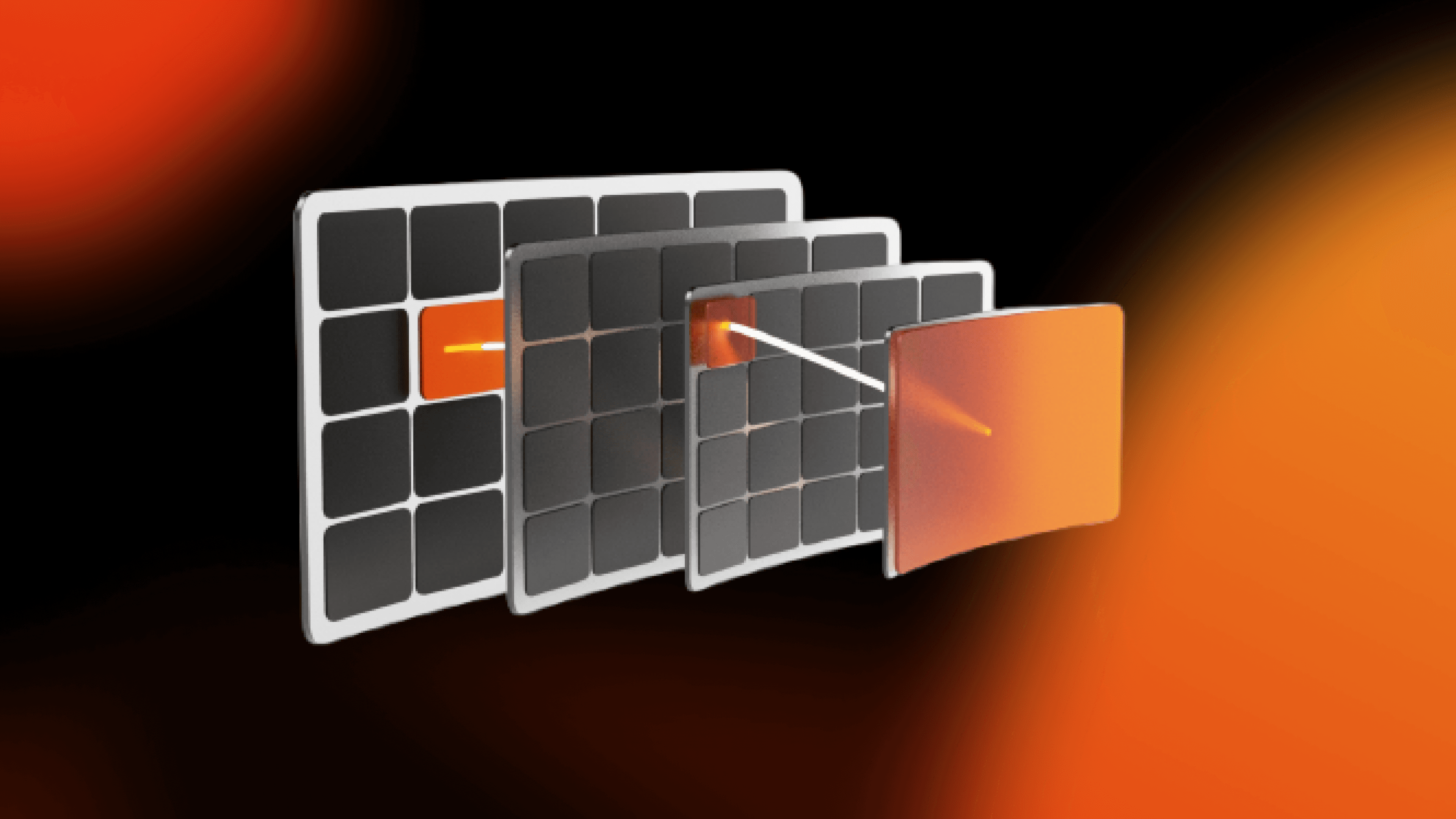
Spatial Browser is an XR research prototype that explores how complex, multi-layered information can be organized and navigated spatially instead of through flat, 2D interfaces.
As a human factors researcher, I was responsible for spatial data classification research, partnered with other designers to define interaction flows, and built the scripting pipeline for automated image-collage generation.
The How?
Design Process
People naturally remember information spatially. We remember where things are, on a bookshelf, in a room, or in a city using spatial cues rather than symbolic labels. This ability is deeply ingrained and we rely on it daily to organize, navigate, and retrieve information from our physical environment.
When we need to find a book in a familiar library, we often recall not the book's title or author, but its physical location, its position on a specific shelf, its color, its proximity to other objects. This spatiotemporal memory is a critical human faculty for sense-making.
That raised a core question for the project:
How do people use spatial memory to find and recall information?
Goal: Design an XR browser that works with spatial memory
Grounding the design in research
Before designing interactions, I studied existing research on spatial cognition, data organization, and immersive interfaces. This helped me move beyond intuition and define concrete design constraints.
From this research, I found two key frameworks
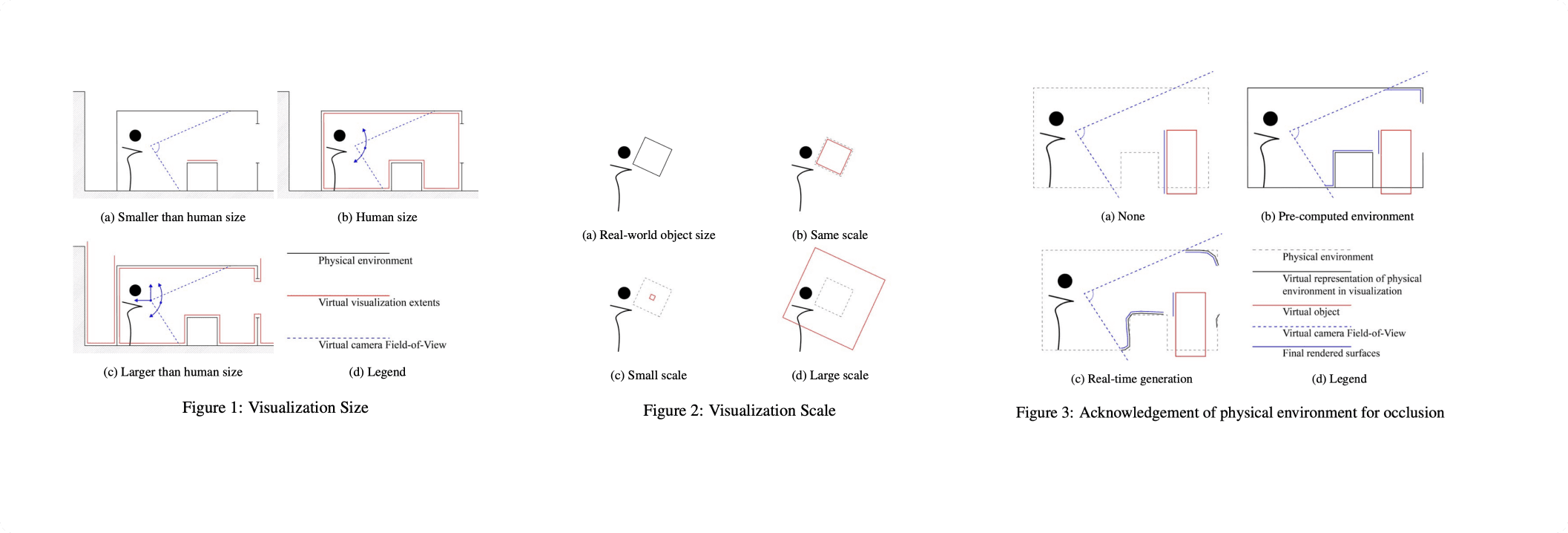
Four spatial classification axes:
Visualization Size
Smaller than human · Human-scale · Larger than humanVisualization Scale
1:1 · Miniaturized · MagnifiedAcknowledgement of Physical Environment
None · Pre-computed · Real-time (occlusion, lighting, morphology)View Alignment Method
Marker-based · Morphology-based · Geolocation · Alignment-based
Five classical data organization modes for spatial systems:
Hierarchical – Tree-like parent/child relationships rendered in 3D
Linear – Sequential or temporal data with contextual distortion
Spatial – Data mapped to architectural or real-world space
Continuous – Smooth 3D surfaces representing gradients or fields
Unstructured – Networks and grids for unordered datasets
Having these frameworks allowed us to reason clearly about trade-offs instead of designing ad hoc 3D layouts.
Defining the interaction flow
With this foundation in place, I collaborated with other designers to define a browsing flow that felt simple, predictable, and calm.
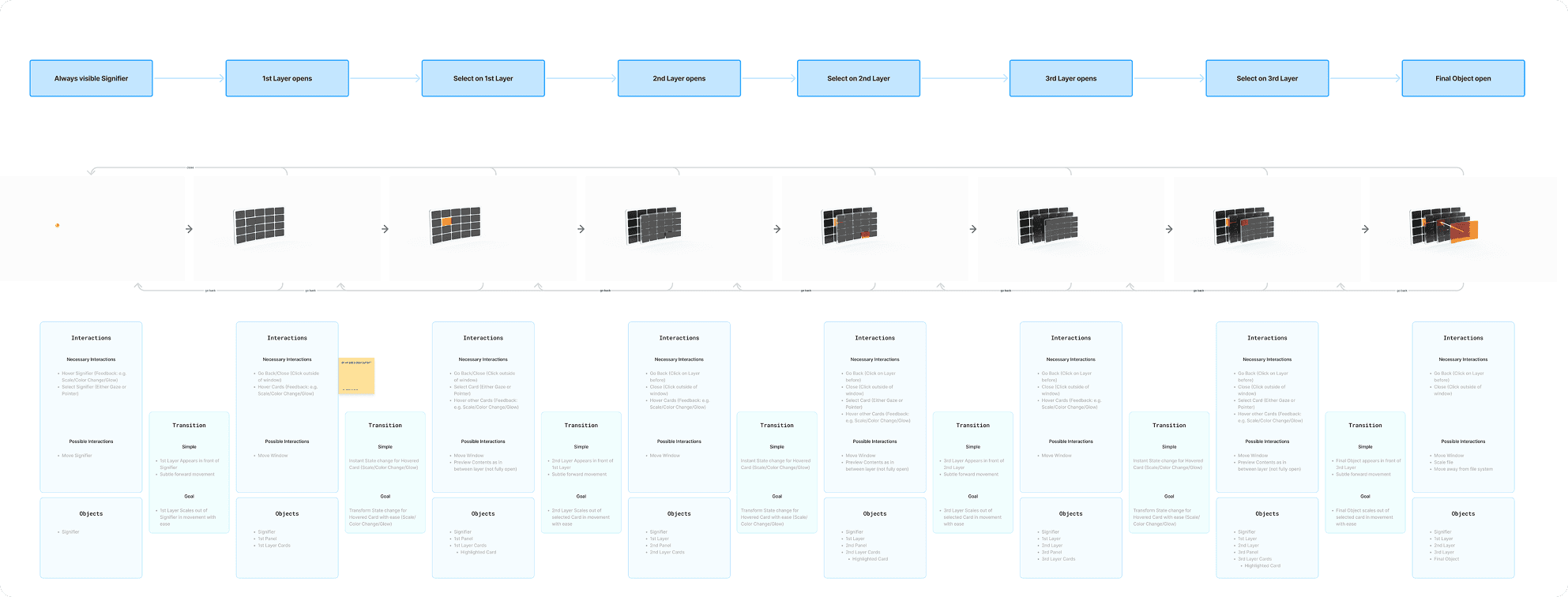
Instead of showing one folder view at a time, the Spatial Browser presents information as layers in space:
An always-visible signifier indicates that the browser is available
Users look to target elements
A short gaze reveals previews
A longer gaze + explicit confirmation selects an item
The next layer opens in front of the user
Previous layers remain visible, forming a clear spatial path
Users can look back to return or close the browser
This approach was designed to reduce cognitive load, prevent accidental activation, and help users stay oriented at all times.
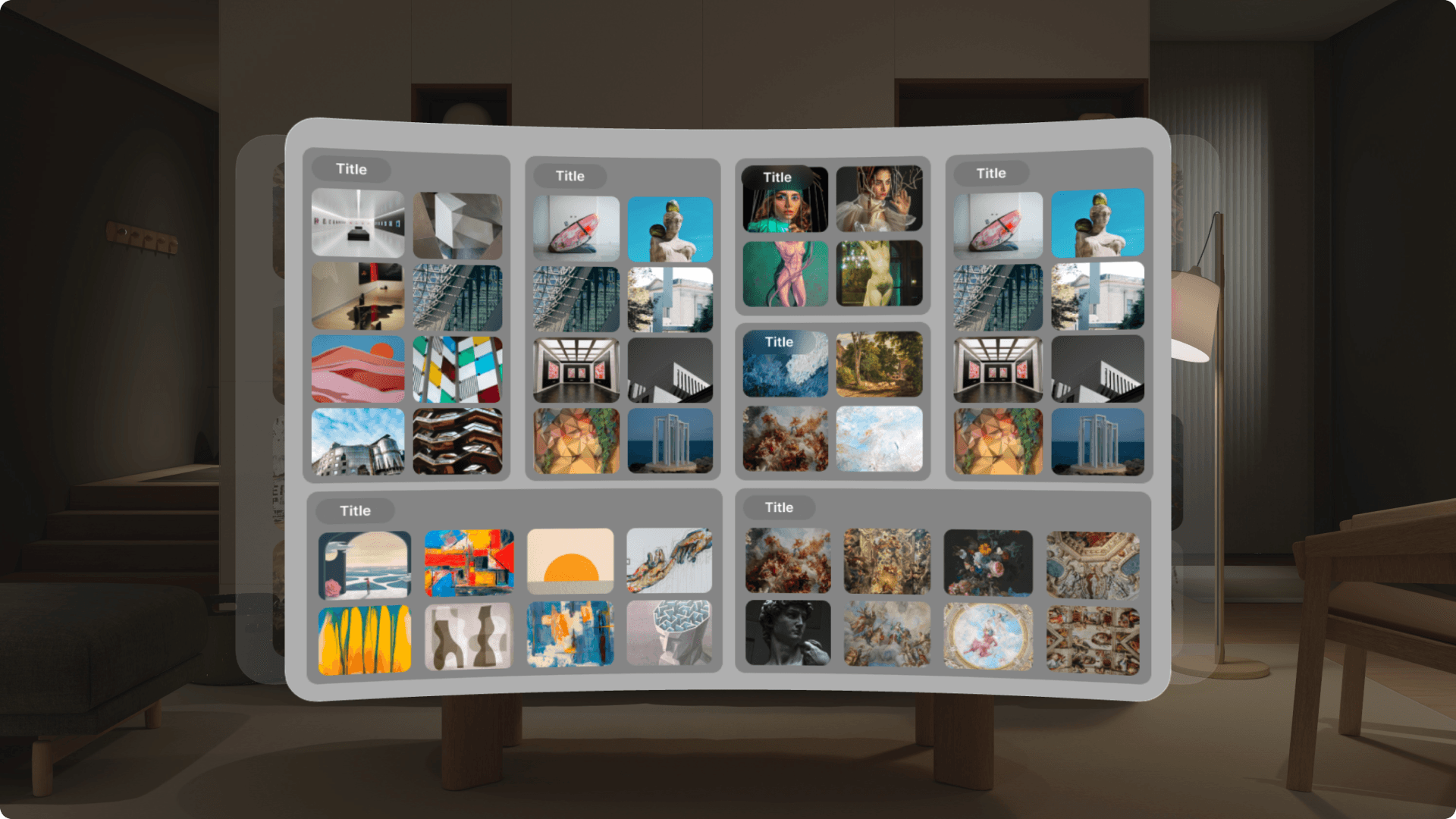
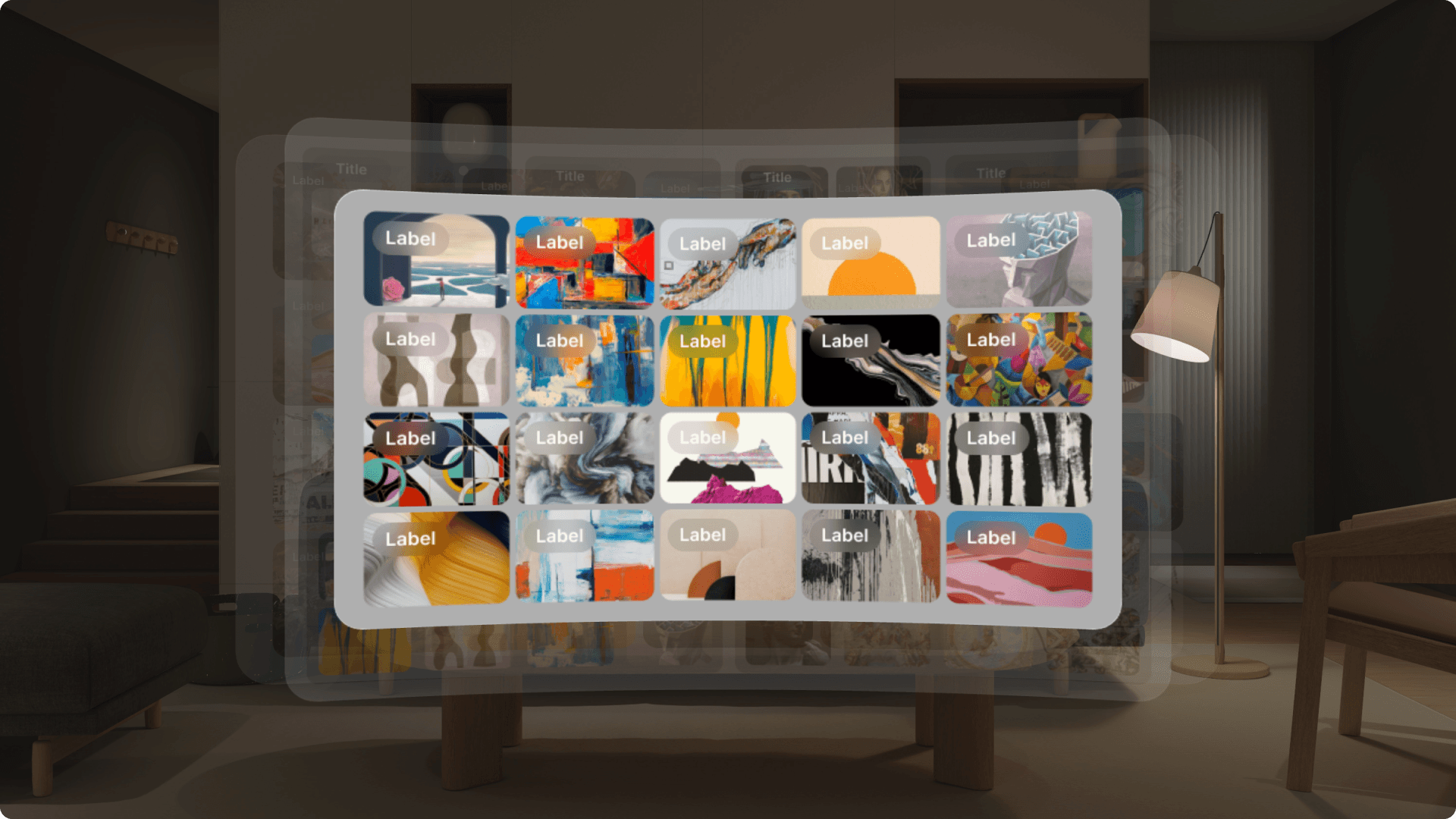
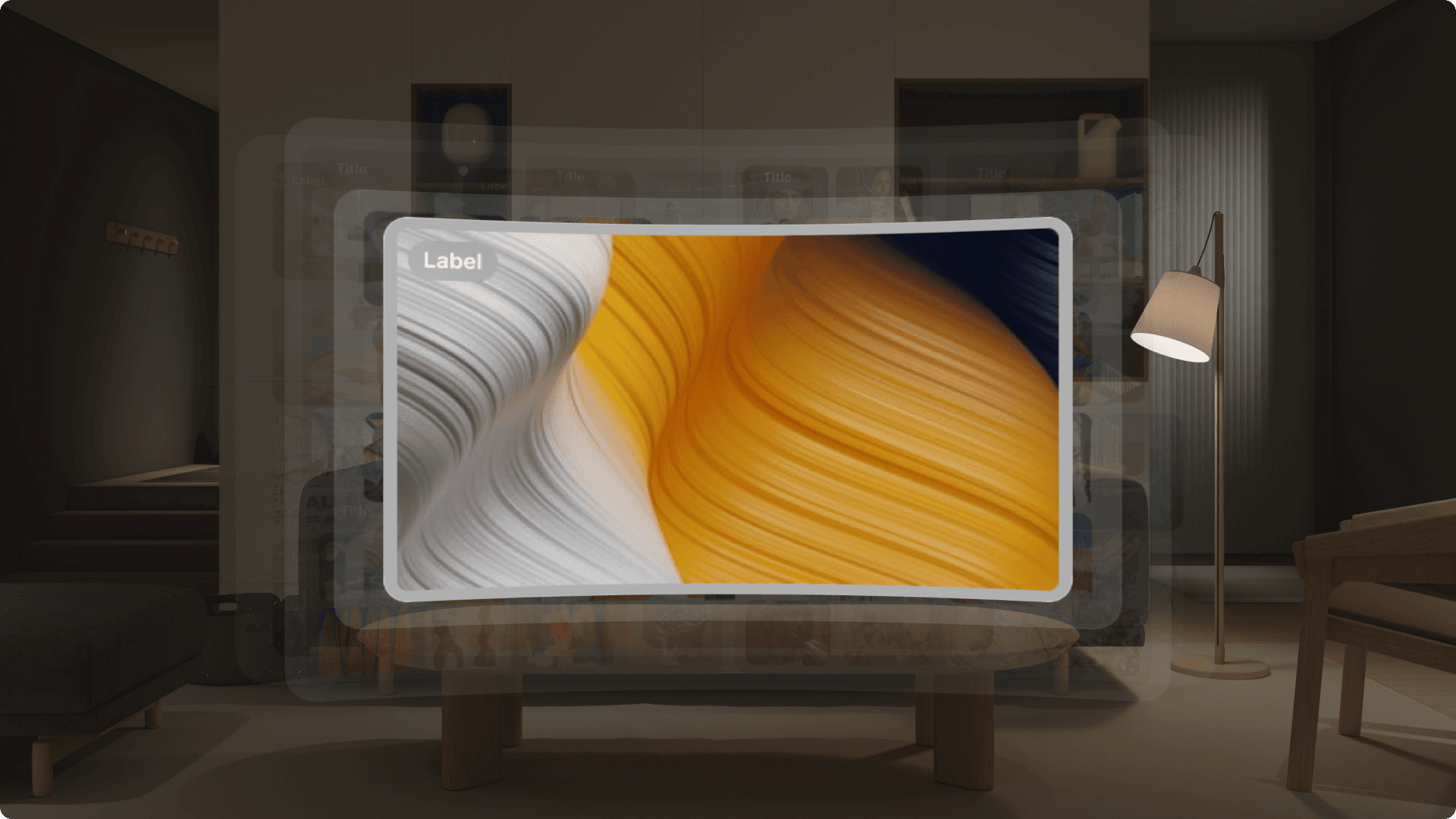
We explored multiple ways people might move through information in XR and tested how different interaction choices felt in practice. Along the way, we built multiple small MVPs to explore how different interaction patterns behaved in XR and how people responded to them.
Prototyping with real content
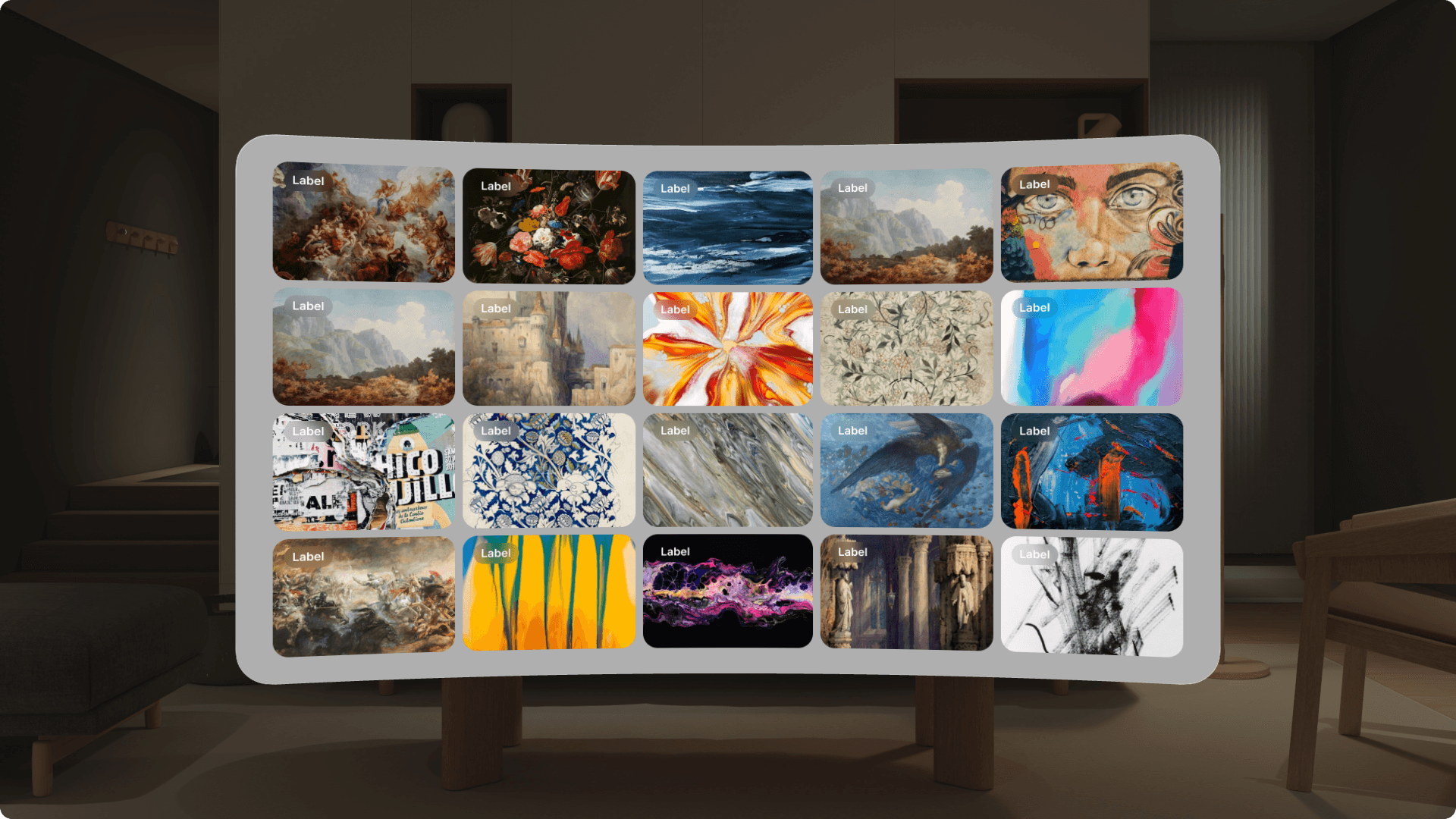
To ensure the system worked at a realistic scale, we built the prototype using the ArtBench dataset, containing roughly 4,000 images. The data was structured into a familiar, library-like hierarchy:
Art Movement → Artist → Artwork → Single Item
This allowed us to test how well the spatial model supported real search tasks, not just small demos.
Evaluation
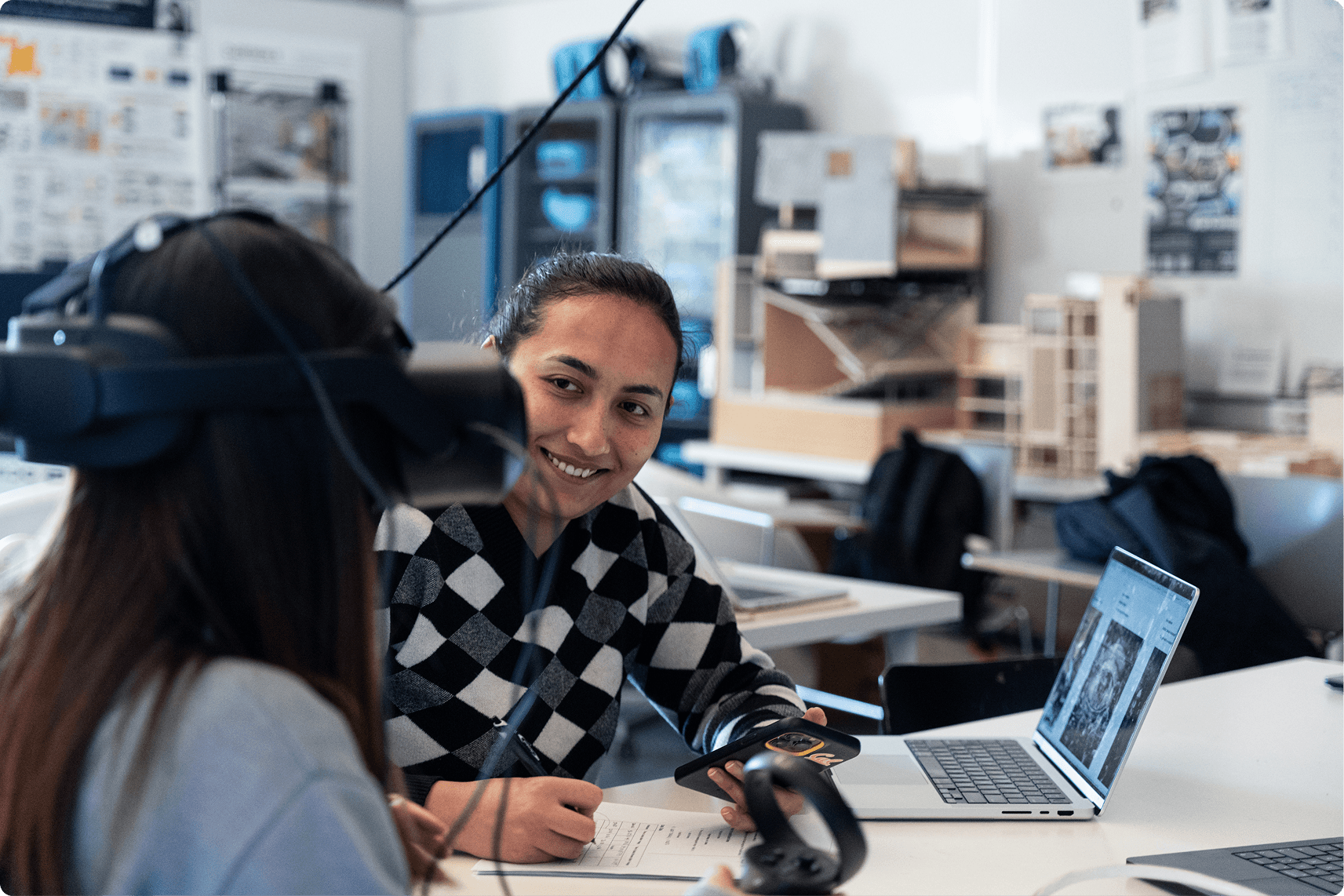
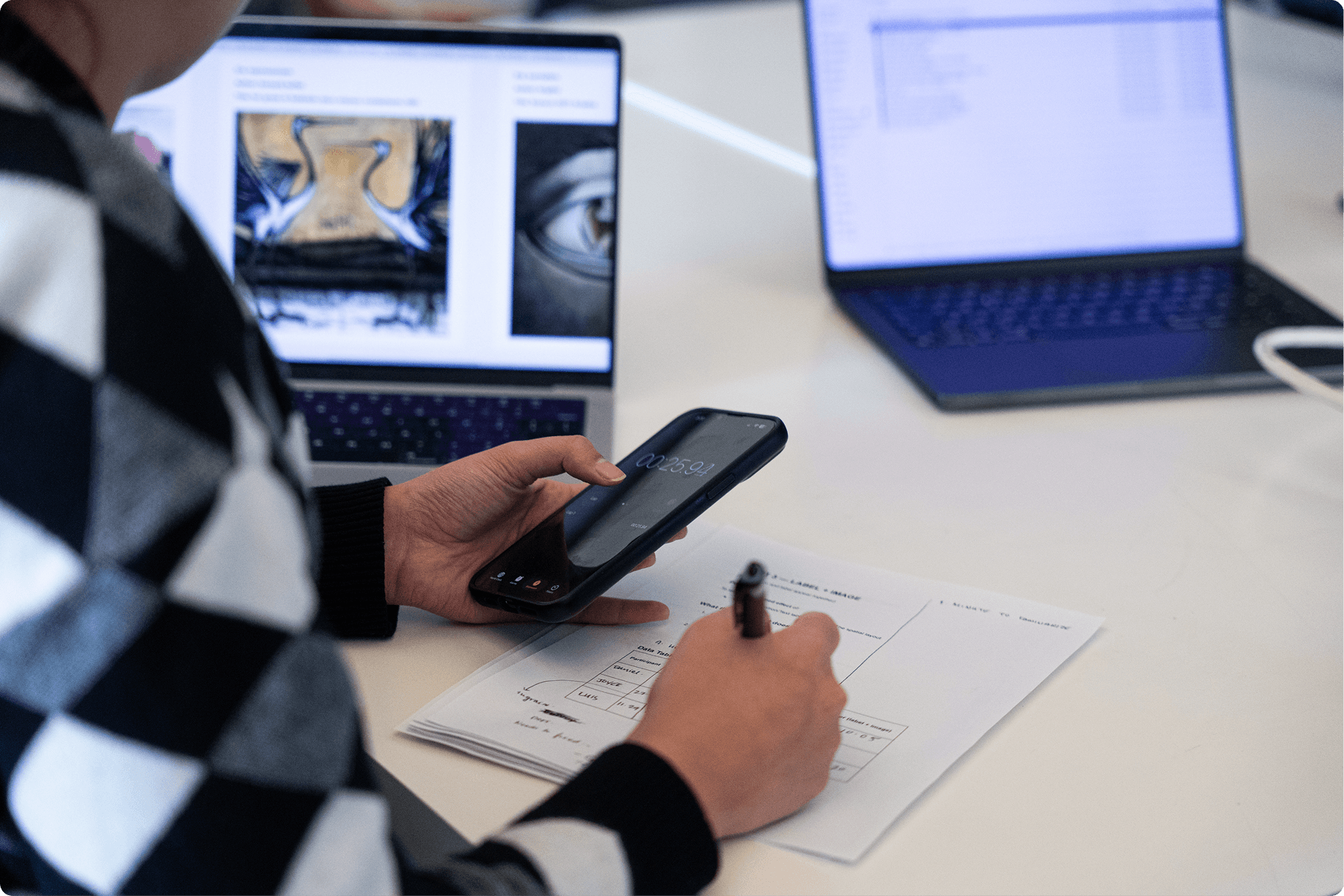
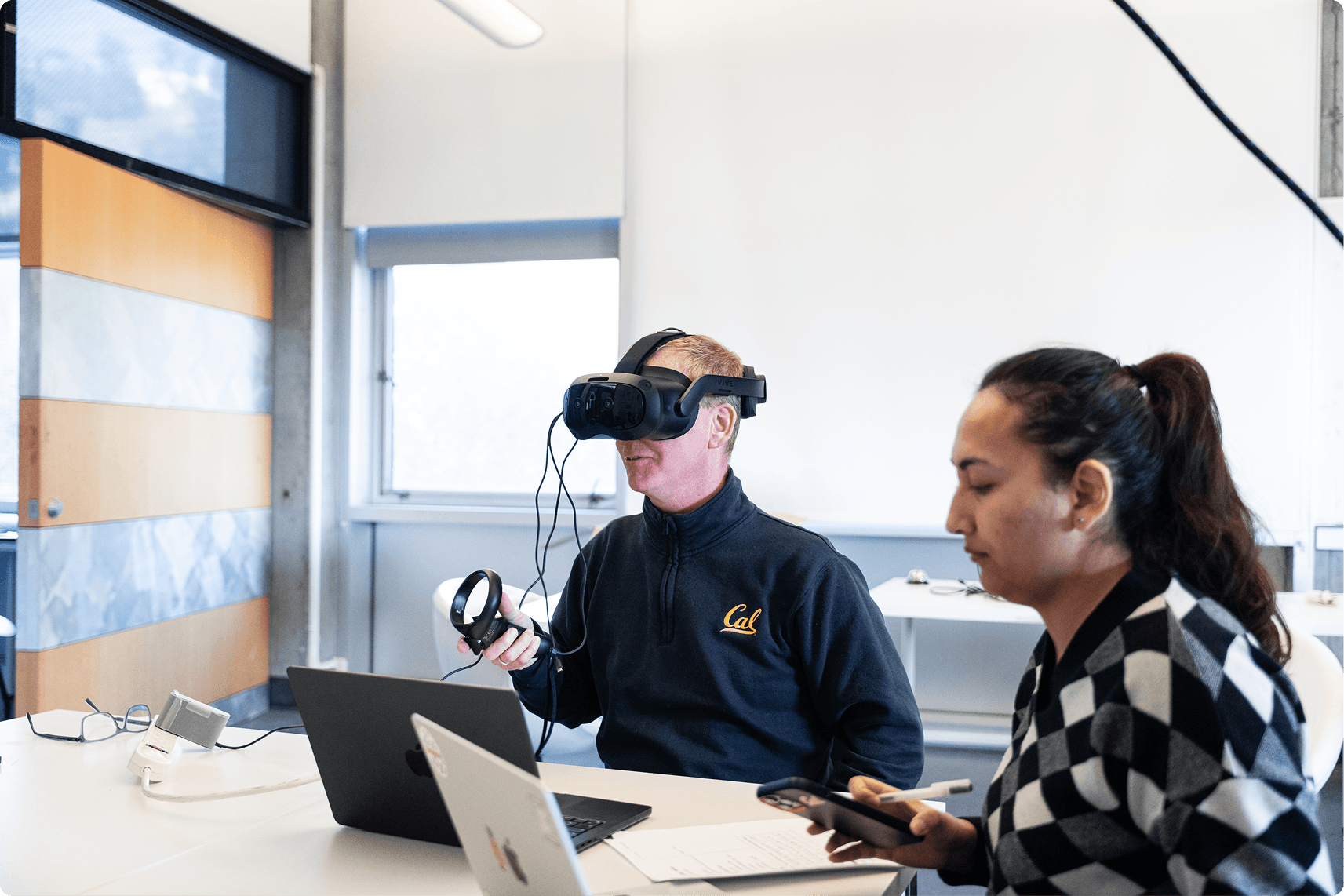
After building the prototype, I ran an early usability study to understand whether spatial browsing in XR actually helped users, or simply felt novel.
Participants completed the same search tasks using:
Spatial Browser in XR
A traditional laptop browser as a baseline
At first, performance between the two systems was comparable, which was an important baseline: the XR interface did not slow people down despite being unfamiliar.
What stood out was how behavior changed over time.
As participants became more familiar with the Spatial Browser, strong learning effects emerged. People began relying less on reading labels and more on spatial cues, remembering where things were, recognizing visual groupings, and navigating based on location rather than text.
Participants also consistently reported higher satisfaction with the XR experience. They described it as more engaging, more intuitive once learned, and easier to reason about visually. The persistent spatial layout helped them stay oriented and reduced the feeling of getting lost in a large dataset.
These findings reinforced the core idea behind the project:
Spatial interfaces may not always be instantly faster, but they support understanding, learning, and recall over time.
The What?
Project Outcome
The Spatial Browser brings together core elements needed for scalable XR information browsing:
Layered spatial planes for navigating large hierarchies
View-directed interaction with explicit confirmation to reduce errors
Persistent spatial context that preserves orientation
Visual previews + labels to support both visual and text-based search
A reusable XR information framework grounded in human factors
Key Outcomes
Built a working, gaze-based Spatial Browser prototype
Defined a reusable framework for spatial information systems in XR
Published a peer-reviewed research paper
Validated the design through early usability testing
Takeaway
This project reinforced the importance of designing XR systems around how people actually think and remember. By grounding interaction design in spatial cognition and human factors, the Spatial Browser shows how immersive interfaces can move beyond novelty and become practical tools for navigating complex information.